


What is Gemini?
Gemini is Google’s AI assistant and model family available across Google products (like the Gemini app, AI Studio, and Vertex AI). (blog.google)
Gemini is multimodal, meaning it can work across text and other media depending on the product and model tier. (blog.google)
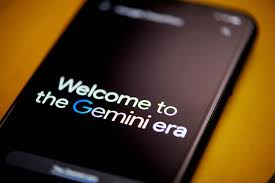
What’s new and trending in Gemini right now
- Google has continued evolving Gemini models (Gemini 3 announced as a major milestone in late 2025). (blog.google)
- Gemini Apps release notes show ongoing feature updates and experimentation (like Canvas in some tiers). (Gemini)
- Gemini also keeps expanding creative tools inside the app (example: music generation features have been rolling out). (The Verge)
Step-by-step: how to use Gemini like a pro
Step 1 — Choose your job-to-be-done
- Writing + summaries
- Research + synthesis
- Planning + ideation
- Coding + debugging
- Creative generation
Step 2 — Use a “brief” prompt structure
- Role: “Act as…”
- Context: “Here’s what I’m doing…”
- Constraints: “Keep it under X, include Y”
- Output format: bullets/table/checklist
- Examples: “Like this…”
Step 3 — Force quality control
Add:
- “List assumptions.”
- “Give 3 alternatives.”
- “Show risks.”
- “Provide sources when possible.”
Step 4 — Turn it into a workflow
Save prompt templates for:
- YouTube scripts
- Blog outlines
- Client proposals
- SOPs for your team
- Research summaries
Best Gemini use cases (especially for creators and founders)
- Research + summarization across lots of material
- Drafting long-form content quickly
- Rapid iteration of marketing copy
- Brainstorming product ideas and positioning
- AI-assisted coding for prototype
FAQ
Is Gemini “better than ChatGPT”?
Wrong question. The better tool is the one that fits your workflow + accuracy needs. Use both if your work is serious.